
Category: Business
Focus Keyword: Google Business Profile optimization
Introduction
Google Business Profile optimization is an important step for small businesses that want to improve their visibility in local search results. When people search for a nearby restaurant, repair service, salon, shop, or other local business, they often use Google Search and Google Maps to find suitable options.
A complete and accurate business profile can help potential customers discover your services, check your opening hours, view photos, read customer reviews, and contact you. However, simply creating a profile does not guarantee higher rankings or more sales. Businesses also need accurate information, a good customer experience, and consistent management.
Whether you own a small shop, run a local service company, or manage a growing business, these nine practical strategies can help you make better use of Google Business Profile.
Effective Google Business Profile optimization helps small businesses present accurate information, build customer trust, and improve their chances of being discovered in relevant local searches.
What Is Google Business Profile?
Google Business Profile is a free tool that allows eligible businesses to manage how their information appears on Google Search and Google Maps.
Depending on the business and available features, customers may be able to see your business name, address or service area, opening hours, phone number, website, photos, reviews, and other useful information.
For example, someone searching for a nearby dentist may compare several profiles before choosing a clinic. A complete profile with accurate hours, relevant photos, and genuine customer reviews can help that clinic make a better first impression.
Google Business Profile is particularly useful for businesses that serve customers at a physical location or travel to customers to provide services.
For eligible local businesses, Google Business Profile optimization starts with accurate information that helps customers understand what the business offers and how to contact it.
1. Complete Every Relevant Business Detail
One of the first steps in Google Business Profile optimization is completing all the relevant information about your business.
Make sure your profile includes:
- Your real business name.
- The most appropriate primary business category.
- Accurate opening hours.
- A current phone number.
- Your official website, if available.
- A correct business address, where eligible.
- A service area, if your business travels to customers.
- Relevant products or services, where supported.
Check these details regularly, especially when your business moves, changes its telephone number, or updates its operating hours.
Avoid adding promotional phrases or extra keywords to your business name unless they are genuinely part of your real-world business name. Inaccurate information can create problems with Google’s profile policies.
2. Choose the Right Business Category
Your primary business category helps Google understand what your business does.
Choose the category that most accurately describes your main activity. For example, a business primarily offering plumbing services should select an appropriate plumbing-related category rather than a broad category that does not clearly describe its work.
You may also be able to add relevant secondary categories if your business genuinely provides those services.
Do not select unrelated categories simply to appear in more searches. Focus on describing your actual business accurately.
Review your category whenever your main services change, and check which categories are available for your country and business type.
3. Add High-Quality and Genuine Business Photos
Photos help potential customers understand what they can expect before contacting you or visiting your location.
Consider adding clear, recent images of:
- Your storefront or business premises.
- Your products or completed projects.
- Your team, where appropriate.
- Your workspace or service environment.
- Your work in progress, when relevant.
For example, a restaurant could show its dining area and menu items, while a cleaning company could display genuine examples of its work with the customer’s permission.
Use good lighting and clear images. Avoid misleading stock photos that customers might mistake for pictures of your actual business.
Update your photos when you introduce new products, improve your premises, or complete notable projects. Authentic images can help build trust and make your profile more informative.
As part of Google Business Profile optimization, businesses should upload genuine, high-quality photos that accurately represent their products, services, and premises.
4. Write a Clear and Useful Business Description
Your business description should explain what you offer and why customers might choose you.
Include useful information such as your main services, experience, specializations, and the types of customers you serve. Keep the wording natural and easy to understand.
For example, a local cleaning company might explain that it provides residential cleaning, office cleaning, and scheduled maintenance services in its service area.
Avoid excessive keyword repetition, unsupported claims, promotional pricing, or links in the description where these are prohibited by Google’s guidelines.
Your goal is to help customers quickly understand your business rather than write a description solely for search engines.
5. Collect Genuine Customer Reviews
Customer reviews can influence how people perceive your business and decide whether to contact you.
After completing a job or providing a service, politely invite customers to share honest feedback. You can use Google’s review link or other permitted methods to make the process convenient.
When customers leave reviews:
- Thank them for positive feedback.
- Respond professionally to negative reviews.
- Address legitimate concerns constructively.
- Keep responses respectful and helpful.
- Protect customers’ private information.
Never buy fake reviews, create reviews for your own business, or offer incentives in exchange for positive reviews. Google prohibits fake engagement and has policies governing review requests and incentives.
A thoughtful response to criticism can demonstrate that your business takes customer experience seriously. However, no particular number of reviews guarantees a higher search position.
6. Keep Your Opening Hours and Contact Information Updated
Incorrect business information can frustrate customers and lead to missed opportunities.
Imagine someone travelling to your shop after checking Google, only to discover that it closed earlier than the profile indicated. Even if the mistake was accidental, the experience could damage trust.
To avoid this problem:
- Update your regular opening hours.
- Add special hours for holidays when appropriate.
- Correct outdated phone numbers.
- Keep your address accurate.
- Check that your website link works.
- Update information when services or locations change.
If your business operates from a private residence and serves customers at their locations, review Google’s eligibility and address-display rules. Eligible service-area businesses may hide their residential address rather than display it publicly.
Accurate information helps customers plan their visits and contact you with fewer difficulties.
7. Add Your Products and Services
If the relevant features are available for your business category, use your profile to explain your main products or services.
A salon could list haircuts, styling, and other treatments. A repair company could describe the types of repairs it handles. A retailer could showcase relevant products where supported.
Provide clear descriptions and accurate details. Use pricing information only when it is correct and appropriate for your business.
Organize your offerings so customers can quickly understand what you provide. Avoid listing services that you do not actually offer.
This information can help customers decide whether your business meets their needs before they call, visit your website, or request a quotation.
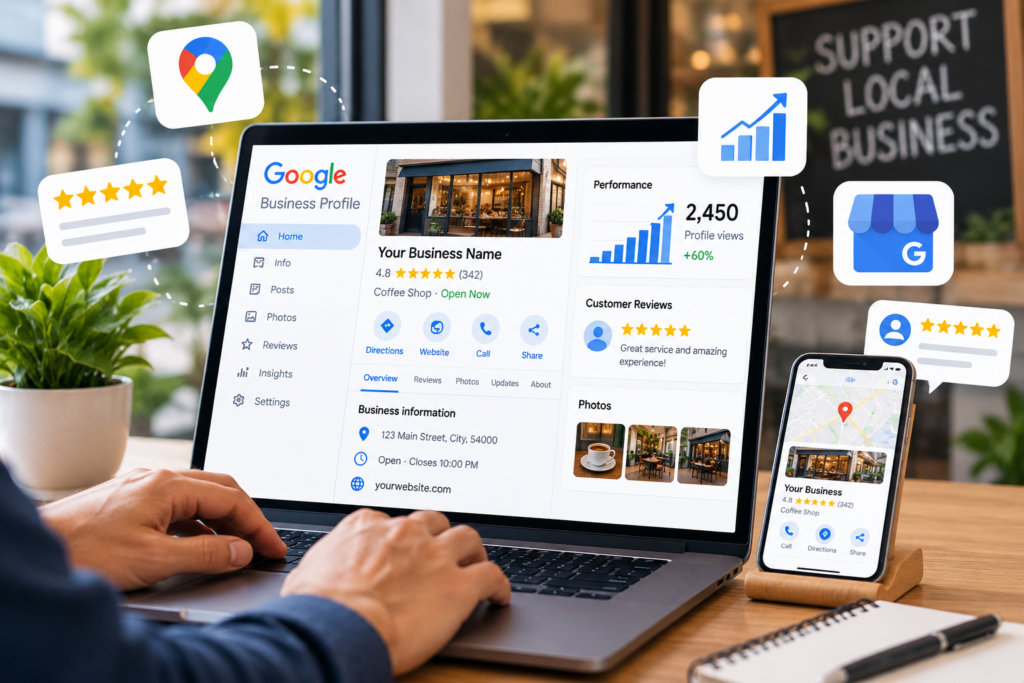
8. Use Google Business Profile Performance Insights
Google provides performance information for eligible profiles, although the available metrics and reporting options may vary.
Depending on the data available, you may be able to review how people discover your profile and how they interact with it. Examples include searches, website clicks, calls, and requests for directions.
Use these measurements to identify opportunities for improvement.
For example, if customers frequently view your profile but rarely visit your website, check whether your website link works and whether your services and contact details are clear.
If people frequently request directions, make sure your location and opening hours are accurate.
Compare results over time rather than drawing conclusions from a single day. Seasonal changes, local competition, customer demand, and other factors can affect performance.
Remember that profile interactions are not the same as confirmed sales. Track enquiries and completed purchases separately whenever possible.
Regularly reviewing available performance data is an important part of Google Business Profile optimization because it helps businesses understand how customers interact with their profiles.
9. Build a Strong Website Alongside Your Profile
Google Business Profile and your website can work together to help potential customers learn about your business.
Your website should clearly explain your services, location or service area, contact information, and the next step customers should take.
For example, a local electrician might create separate pages describing electrical repairs, installations, and emergency services, provided these reflect the actual business.
Useful website improvements include:
- Making the website mobile-friendly.
- Ensuring pages load reliably.
- Displaying accurate contact information.
- Providing clear service descriptions.
- Using relevant page titles and headings.
- Making it easy for customers to request a quotation or contact you.
Keep your business information consistent across your profile and website.
Do not assume that adding a Google map, repeating your business name, or inserting keywords automatically improves rankings. Focus on a reliable website that helps customers find the information they need.
Small businesses can also explore our practical guides on business growth and digital marketing to discover more ways to reach potential customers online.
Common Google Business Profile Mistakes to Avoid
Even a well-designed profile can become less useful if its information is inaccurate or its management practices violate Google’s rules.
Avoid these common mistakes:
Keyword stuffing: Do not add extra search terms to your business name or descriptions unnaturally.
Fake reviews: Never purchase reviews or manufacture customer feedback.
Incorrect categories: Select categories that accurately describe your actual business.
Outdated information: Check your opening hours, phone number, address, and website regularly.
Misleading photos: Use authentic images that represent your business accurately.
Ignoring customers: Respond professionally to genuine questions and feedback.
Expecting instant rankings: Local search visibility depends on multiple factors, including relevance, distance, and prominence. Optimization does not guarantee a particular position.
Frequently Asked Questions
Is Google Business Profile free?
Yes. Creating and managing a Google Business Profile is free for eligible businesses. Some optional marketing or advertising services may involve separate costs.
Can an online-only business create a Google Business Profile?
Generally, Google Business Profile is intended for eligible businesses that have in-person contact with customers, either at a business location or through services delivered to customers. A business that operates entirely online without in-person customer contact generally does not qualify.
How long does Google Business Profile optimization take to show results?
There is no fixed timeline. Changes may take time to appear or influence how customers discover your business. Results depend on factors such as your location, competition, profile accuracy, and customer demand.
Do customer reviews improve local rankings?
Reviews and positive ratings can contribute to prominence and influence customer decisions. However, reviews alone do not guarantee higher rankings, and fake reviews violate Google’s policies.
Can a business without a storefront use Google Business Profile?
Some service-area businesses qualify even if they do not serve customers at their business address. They must follow Google’s eligibility requirements and display or hide their address according to the applicable rules.
Consistent Google Business Profile optimization can make your business information more useful to potential customers, although it cannot guarantee higher rankings or more sales.
Conclusion
Google Business Profile optimization can help small businesses present accurate information, build customer trust, and become easier to discover through Google Search and Google Maps.
Start by completing your profile, choosing the correct category, adding genuine photos, collecting honest reviews, and keeping your contact information up to date. Then improve your products or services information, review available performance data, and maintain a useful website.
You do not need to make every change at once. Begin with the most important corrections and improve your profile consistently.
Most importantly, focus on providing accurate information and a good customer experience. These practices can help people make informed decisions about your business, even though no optimization strategy can guarantee higher rankings or a specific number of new customers.
Successful Google Business Profile optimization should focus on accurate details, genuine customer feedback, helpful photos, and a reliable customer experience.
Official Resources
For the latest eligibility requirements and profile-management guidance, consult Google’s official resources:
- Google Business Profile: https://www.google.com/business/
- Google Business Profile Help: https://support.google.com/business/
- Guidelines for representing your business on Google: https://support.google.com/business/answer/3038177
Use these resources to verify current requirements before making changes to your profile.