
Imagine having a desktop computer that fits neatly beside your monitor or behind your screen. You can enjoy a clean workspace without making room for a bulky computer tower.
For buyers comparing price and performance, mini PCs in 2026 offer a compact alternative to traditional desktop computers.
For buyers comparing price, performance, and desk space, mini PCs in 2026 offer an interesting alternative to traditional desktop computers. These compact machines can handle everyday work, online classes, office applications, and selected professional tasks.
However, a smaller computer is not automatically the better choice. Some models have limited upgrade options, while others may struggle with demanding games or heavy creative workloads. The real value depends on the hardware, price, and your individual needs.
So, are mini PCs worth buying, or is a traditional desktop still the smarter investment? Let’s compare their benefits, limitations, costs, and essential features before you make a decision.
Before buying, compare mini PCs in 2026 based on your daily workload, budget, connectivity needs, and plans for future upgrades.
What Is a Mini PC?
A mini PC is a compact desktop computer designed to provide computing power in a small body. Depending on the model, it may be roughly the size of a thick paperback book or a small box.
Unlike a laptop, a typical mini PC does not include a built-in screen, keyboard, battery, or touchpad. You connect it to a monitor, keyboard, mouse, and power supply to create a complete computer setup.
Most models include a processor, RAM, storage, graphics hardware, USB ports, and video outputs. Some offer advanced networking, multiple monitor support, and powerful processors for demanding workloads.
Operating systems vary by device. Many models use Windows or Linux, while Apple’s Mac mini runs macOS.
The most important difference between models is not their size. It is the performance, cooling, connectivity, and upgrade options available inside each machine.
Why Mini PCs in 2026 Are Becoming Popular
Modern workspaces are changing. Students, remote workers, small businesses, and home users increasingly want computers that fit into limited spaces without sacrificing essential performance.
One reason mini PCs in 2026 are popular is that they save desk space while handling many everyday computing tasks.
A compact computer can sit beside a monitor, hide behind a compatible display, or connect to a television. This makes it useful for small bedrooms, home offices, reception desks, and shared workspaces.
Modern processors also allow some compact systems to handle software development, creative applications, multitasking, and selected AI workloads. However, performance varies considerably between entry-level and premium models.
The growing choice of configurations gives buyers more flexibility, but it also makes research important. A machine designed for browsing and spreadsheets may not be suitable for demanding gaming or professional video editing.
The best option is the computer that matches your workload rather than simply the smallest model available.
9 Reasons to Consider Buying a Mini PC in 2026
1. They Save Valuable Desk Space
One of the clearest advantages of a mini PC is its compact design.
Traditional desktop towers can take up considerable room, especially in small apartments, bedrooms, shops, and shared offices. A mini PC can sit beside a monitor or be mounted behind a compatible display if its design supports it.
This makes it easier to organize cables and create a tidy workspace.
Students, remote workers, reception desks, and people with limited room may find this particularly useful.
Remember, however, that you still need a screen and input devices unless you already own them. The computer may be small, but the complete workstation still requires space.
2. They Can Handle Everyday Work
You do not need an expensive gaming tower to browse websites, attend online meetings, write documents, manage spreadsheets, and watch videos.
A well-configured mini PC can perform these tasks comfortably. A modern processor, sufficient RAM, and a solid-state drive generally help deliver a responsive experience.
For ordinary home and office use, 16GB of RAM is a sensible starting point when your budget allows. People working with large files, demanding creative applications, or several resource-intensive programs may benefit from 32GB or more.
Do not judge a computer by its processor name alone. Cooling, power limits, memory configuration, and software support can also affect performance.
3. Some Models Use Less Electricity
Compact office computers often consume less electricity than powerful desktop towers, particularly systems equipped with high-performance processors and separate graphics cards.
This can be helpful if you leave your computer running for many hours each day.
However, size alone does not determine energy consumption. A high-performance mini workstation may use considerably more power than an entry-level office model.
Compare realistic power measurements for the tasks you actually perform. A computer used for writing documents has different energy requirements from one rendering videos or running demanding AI applications.
Lower electricity use is a potential benefit, not a guarantee for every model.
4. They Work Well for Remote Jobs and Small Businesses
Compact computers can be practical for employees who use browser-based software, office applications, video conferencing, accounting tools, and customer-management systems.
Businesses can also use compatible models for digital signage, information displays, basic kiosks, and reception workstations.
In these situations, reliability, warranty coverage, connectivity, and long-term support may matter more than maximum processing speed.
If you are buying computers for several employees, consider maintenance requirements and whether the manufacturer provides suitable business support.
5. They Can Support Multiple Monitors
Some compact computers support two or more monitors, making multitasking easier.
You might keep email open on one screen, spreadsheets on another, and a browser on a third, provided your selected model supports that configuration.
However, the number of physical ports does not tell the whole story. Supported resolutions, refresh rates, display outputs, and simultaneous monitor limits vary between devices.
Check the manufacturer’s specifications before purchasing if your work depends on multiple screens, especially high-resolution displays.
For everyday office tasks, a suitable dual-monitor setup can be a useful productivity improvement.
6. Some Are Suitable for Creative Work
Compact computers are no longer limited to basic office tasks.
Higher-performance models can handle programming, software development, photo editing, and selected video-editing workloads. Premium configurations may include powerful integrated graphics or discrete graphics hardware.
The experience depends on the application and the computer’s specifications. Editing a short video is very different from processing multiple streams of high-resolution footage with complex effects.
Before buying, look for independent performance tests of the software you use. Check memory capacity, storage speed, cooling, and hardware acceleration support.
A compact computer can be a capable creative workstation, but not every model belongs in that category.
7. Some Models Can Handle Gaming
Gaming performance varies widely among compact computers.
Basic models with integrated graphics may handle lightweight games, older titles, and selected modern games at modest settings. More powerful gaming models can offer substantially better performance.
If gaming matters to you, check actual game benchmarks at your preferred resolution. A modern processor does not automatically guarantee excellent gaming performance.
Cooling and fan noise are also important. Compact systems have limited space for airflow, so sustained gaming performance depends heavily on thermal design.
A traditional gaming desktop may still offer better performance per dollar, more upgrade flexibility, and easier cooling for demanding titles.
For casual gaming, mini PCs in 2026 can be suitable, but performance depends on the graphics hardware, cooling, and games you want to play.
8. They Fit Into Home Entertainment Setups
A mini PC can turn a compatible monitor or television into a flexible computing and entertainment station.
You can use it to browse websites, access supported streaming services, manage files, display photographs, or connect peripherals.
Its compact size may be more convenient than a large tower in a shared family room.
Before purchasing, confirm that the computer supports your display resolution and offers the necessary video and audio connections.
Consider the controls as well. Using a computer from a sofa may require a wireless keyboard, air mouse, or another compatible input device.
If your only purpose is streaming, a dedicated streaming device may be cheaper and simpler.
9. They Are Easier to Move Between Workspaces
Compact computers are generally easier to carry between locations than traditional desktop towers.
This can be useful for people who move between home and office, manage temporary workstations, or need a computer for demonstrations.
However, a mini PC is not a complete portable computer like a laptop. You still need access to a monitor, keyboard, mouse, and power supply.
Think of it as a portable desktop rather than a laptop replacement. If you regularly work in cafés or travel without access to a screen, a laptop is usually more practical.
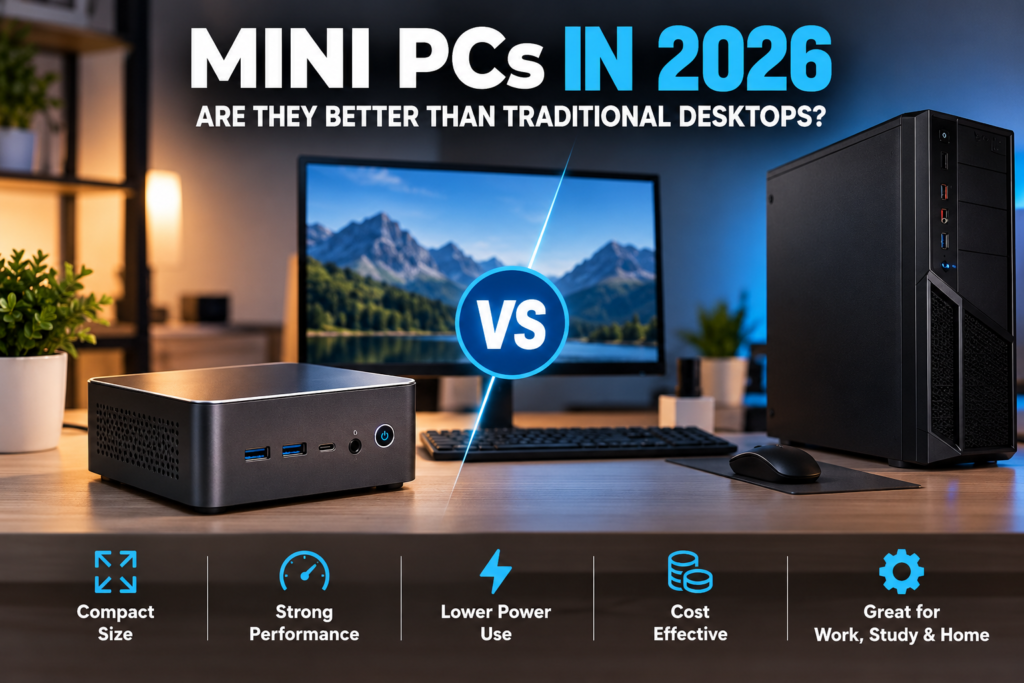
Mini PC vs Traditional Desktop: Which Is Better?
The right choice depends on your budget, workspace, performance requirements, and plans for future upgrades.
| Feature | Mini PC | Traditional desktop |
|---|---|---|
| Desk space | Excellent for small spaces | Usually needs more room |
| Everyday work | Very good with suitable hardware | Very good |
| Gaming | Depends heavily on the model | Often offers better GPU options |
| Electricity use | Often lower for office models | Varies by configuration |
| Upgrades | Frequently more limited | Usually more flexible |
| Cooling | Compact cooling system | More room for cooling |
| Portability | Easier to move than a tower | Usually bulky |
| Initial cost | Varies by configuration | Wide range of prices |
| Repairability | Depends on the model | Often easier with standard parts |
The comparison is not absolute. Some premium compact computers cost more than entry-level desktop towers, and some offer better upgrade options than others.
When comparing mini PCs in 2026 with traditional desktops, consider your daily workload, available desk space, upgrade needs, and budget before making a decision.
When comparing mini PCs in 2026 with traditional desktops, consider performance, upgrade options, electricity use, and your available budget.
How Much Does a Mini PC Really Cost?
The advertised price is only one part of the total cost.
If you already own a compatible monitor, keyboard, and mouse, switching to a compact computer may be relatively inexpensive. If you are building a complete workstation from scratch, additional equipment can change the calculation.
Remember to include:
- The computer itself and its processor configuration.
- RAM and SSD capacity, especially for barebones systems.
- A monitor, keyboard, and mouse if you do not already own them.
- Required adapters, cables, or networking equipment.
- Warranty coverage and possible future upgrades.
Prices vary by country, retailer, configuration, and availability. Changes in memory and storage prices can also influence the value of different configurations.
For buyers in Pakistan, compare the full configured price in Pakistani rupees, check local warranty terms, and confirm that the seller is reputable before purchasing.
A slightly more expensive computer with sufficient memory, storage, and a valid warranty may provide better value than a cheaper model that needs immediate upgrades.
Important Things to Check Before Buying
Processor and Performance
Choose a processor that suits your workload. Browsing and office applications require less processing power than professional rendering, software development, or demanding multitasking.
Look for independent tests of the exact model where possible.
RAM and Upgradeability
For general use, 16GB is a reasonable target. Consider 32GB or more for demanding workloads.
Check whether the memory is replaceable or soldered. Some compact computers cannot be upgraded after purchase.
Storage Capacity
An SSD helps applications launch quickly and keeps the system responsive. Check the available capacity and whether the computer supports replacing or adding another drive.
If you store large video files, games, or professional projects, storage capacity can matter as much as processor performance.
Ports and Connectivity
Check the number and type of USB ports, display connections, Ethernet, audio, and wireless connectivity.
Make sure the computer supports your existing peripherals and external storage devices.
Cooling and Fan Noise
A tiny computer with powerful components needs an effective cooling system.
Read reviews that examine sustained performance and noise rather than relying only on short benchmark results.
Operating System and Software Compatibility
Confirm that your essential programs, printers, peripherals, and workplace tools are supported.
This is particularly important for systems using less common processor architectures or operating systems.
Warranty and After-Sales Support
Check the warranty period, return policy, repair options, and availability of replacement parts.
A compact computer is not automatically reliable simply because it has fewer visible components.
Before purchasing, compare the processor, RAM, storage, connectivity, upgrade options, warranty coverage, and total cost to make sure the computer meets your needs.
Common Mistakes to Avoid
Buying based on size alone: A tiny computer is not necessarily powerful or efficient. Start with the workload you need to run.
Choosing too little memory: A low-memory configuration may become frustrating when you have several applications open.
Assuming every model can be upgraded: Some machines have soldered memory or limited storage options. Check before buying.
Expecting high-end gaming performance from basic graphics: Look at real game benchmarks instead of relying on marketing claims.
Ignoring the complete setup cost: Include the monitor and peripherals if you need them.
Buying from an unverified seller: Check the exact model, specifications, warranty, and return policy.
Ignoring software support: Confirm that your required applications run properly on the operating system and processor architecture.
Who Should Buy a Mini PC in 2026?
A mini PC is worth considering if you want a compact machine for everyday computing, remote work, study, small-business tasks, digital signage, or a tidy home office.
It can also suit selected creative and technical workloads when you choose a model with sufficient processing power, memory, storage, and cooling.
A traditional desktop may be the better option if you need a powerful dedicated graphics card, extensive internal expansion, easier component replacement, or the best possible gaming performance within a specific budget.
A laptop is usually more practical if you regularly work away from a fixed desk and need an integrated screen, keyboard, and battery.
Ultimately, choose the computer that fits your actual needs rather than the one with the smallest body or the most impressive marketing.
Frequently Asked Questions
Are mini PCs worth buying in 2026?
Yes, for many users. They can provide strong everyday performance in a compact setup. Whether one is worth buying depends on its specifications, price, upgrade options, and the tasks you need it to perform.
For users comparing mini PCs in 2026, the best option depends on processor performance, memory, cooling, and the applications they use most.
Can a mini PC replace a normal desktop?
For everyday work, study, browsing, and many professional tasks, a suitable mini PC can replace a traditional desktop. High-end gaming, specialized rendering, and hardware-intensive workloads may still favor a larger system.
Are mini PCs good for students?
They can be a good option for students who already have a monitor and need a compact computer for research, writing, online classes, and office applications. Students who need to work in different locations may prefer a laptop.
Do mini PCs use less electricity?
Many office-focused models use less electricity than powerful desktop towers. Actual consumption depends on the processor, graphics hardware, workload, and system configuration.
Can I upgrade a mini PC later?
Some models allow RAM and SSD upgrades, while others have soldered memory or limited internal space. Always check the exact model’s specifications before buying.
Are mini PCs suitable for gaming?
Some are suitable for lightweight gaming, while higher-performance gaming models can run more demanding titles. Performance varies substantially, so check benchmarks for the games and settings you care about.
Do mini PCs overheat?
Not all mini PCs overheat, but compact cooling systems can become a limitation under sustained heavy workloads. Choose a well-reviewed model and look for tests of temperatures, fan noise, and long-duration performance.
When choosing mini PCs in 2026, check whether the RAM and storage can be upgraded to extend the computer’s useful life.
Protect Your Technology and Online Work
If you also manage a website, security deserves attention alongside your hardware choices. Read our guide on essential PHP security fixes to learn more about protecting websites from common security risks.
For everyday tasks, mini PCs in 2026 can be a practical choice for users who want a compact computer, lower power consumption, and a cleaner workspace.
Final Verdict
Mini PCs have become a practical option for people who want capable computing without a large desktop tower. They can save space, simplify a workspace, and handle many everyday tasks comfortably.
For browsing, studying, office work, and compact home setups, a well-configured mini PC can be an excellent fit. If you need demanding gaming performance or extensive hardware upgrades, a traditional desktop may provide better long-term value.
The smartest choice depends on performance, cooling, memory, storage, upgradeability, software compatibility, and total cost—not just appearance.
Before you buy, match the computer to your workload, not just your desk.
Disclaimer: Specifications, prices, and availability vary by model and market. Verify the manufacturer’s official specifications and local warranty terms before purchasing.
References and Further Reading
- TechRadar — Best Mini PCs
- StorageReview — Best Mini PCs
- ASUS — Official News and Product Announcements