
The WhatsApp iOS Liquid Glass update is bringing another visual transformation to the popular messaging app, with new design improvements appearing in the latest iPhone beta version. WhatsApp is extending Apple’s glass-inspired interface to additional sections, making the app look more modern and visually consistent.
The WhatsApp iOS Liquid Glass update is part of the platform’s ongoing effort to bring a more modern and consistent design to iPhone users.
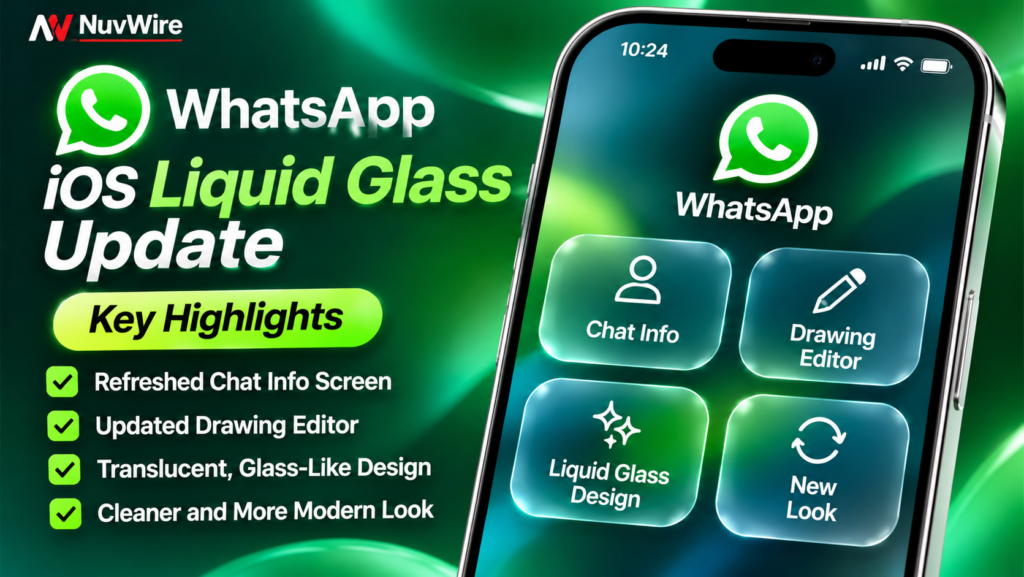
The latest development focuses on two important areas: the chat information screen and the drawing editor. Both are receiving translucent design elements that allow parts of the background to remain visible behind buttons and controls.
The changes were spotted in WhatsApp beta for iOS version 26.45.10.70, distributed through Apple’s TestFlight programme. According to reports published on November 16, 2026, the redesigned elements are gradually reaching selected users.
However, this is primarily a visual update rather than a major messaging upgrade. Existing functions remain largely unchanged, while the appearance of several controls is being refreshed.
So, what exactly is changing, which iPhone users can access the new design, and when could it become available to everyone? Here is everything worth knowing.
What Is the WhatsApp iOS Liquid Glass Update?
Liquid Glass is Apple’s modern interface design language introduced with iOS 26. It uses translucent materials, subtle reflections, layered surfaces, rounded shapes and background effects to create a more dynamic appearance.
Instead of displaying every button as a solid block, this design allows interface elements to blend more naturally with the content behind them.
WhatsApp has been gradually adapting its iPhone application to this visual style. Rather than changing the entire interface at once, the company has been updating different screens and controls over several releases.
The latest WhatsApp iOS Liquid Glass update continues that process by refreshing areas that previously retained the older appearance.
The goal is to create a more consistent experience across conversations, contact information, media editing and other parts of the application.
With the WhatsApp iOS Liquid Glass update, the company is gradually refreshing interface elements while keeping familiar messaging features intact.
7 Important Changes in the Latest WhatsApp iPhone Update
1. Chat Information Screen Gets a Glass-Like Appearance
One of the most noticeable changes is coming to the chat information screen.
When users open an individual contact or group profile, WhatsApp displays several action buttons below the contact or group name.
These shortcuts allow users to perform common activities, including:
- Starting a voice or video call.
- Searching for messages.
- Creating a status update.
- Adding members to a group.
According to the latest beta report, these buttons are receiving a translucent Liquid Glass appearance.
Instead of looking like traditional solid controls, they now have a glass-like finish that allows some background content to remain visible.
This gives the contact and group information screen a more modern appearance without changing how the existing shortcuts work.

This WhatsApp iOS Liquid Glass update gives contact and group information screens a cleaner visual appearance.
2. Drawing Editor Toolbar Receives a Design Refresh
Another important improvement concerns WhatsApp’s drawing editor.
Many users regularly edit photographs and videos before sharing them in conversations. The built-in editor provides several tools for making quick adjustments without leaving the application.

Its toolbar includes options such as:
- Adding text to photographs.
- Drawing directly over images.
- Inserting stickers.
- Cropping media.
- Making other basic editing adjustments.
The latest redesign introduces a translucent appearance to the toolbar buttons.
This makes the editing screen visually consistent with other areas that already support Apple’s glass-inspired design.
For people who frequently share edited photographs, the change should make the interface feel more unified, although the available editing tools themselves are not being replaced by this update.The WhatsApp iOS Liquid Glass update also makes the media editing experience visually consistent with other redesigned sections.
3. More Consistent Navigation and Interface Elements
WhatsApp has already introduced Liquid Glass styling to several parts of its iOS application.
These include the chat list, tab bar, navigation elements and message menus.
The latest WhatsApp iOS Liquid Glass update is another step towards bringing the same visual language to screens that previously looked different.
A consistent interface matters because users move between multiple sections throughout the day.
For example, someone might open a conversation, view a contact profile, edit a photograph and return to the chat within a few seconds.
When these screens follow a similar design language, the application can feel more organised and visually connected.
The WhatsApp iOS Liquid Glass update aims to create a smoother visual connection between navigation menus, chat screens, and other application sections.
4. Translucent Controls Create a More Modern Look
Transparency is one of the main characteristics of Apple’s Liquid Glass design.
The refreshed controls use a translucent appearance that allows parts of the background to show through.
This creates a layered visual effect rather than presenting every button as a separate solid surface.
The effect is intended to make interface elements feel lighter and more integrated with the surrounding content.
However, the actual appearance can depend on the screen, background, display settings and whether the user is using light or dark mode.
Another noticeable detail of the WhatsApp iOS Liquid Glass update is the use of transparent surfaces and rounded interface controls.
5. Earlier Video Player Improvements Complete More of the Design
The latest changes follow an earlier visual improvement to WhatsApp’s video player.
In October 2026, reports highlighted a Liquid Glass-style progress bar in the iOS video player.
The progress bar appears as a floating element with rounded corners and a translucent background.
Its appearance adapts to light and dark mode, helping it remain consistent with the rest of the interface.
Together with the newer chat information and drawing editor changes, these refinements show that WhatsApp is continuing to update smaller interface details rather than focusing only on the main conversation screen.
6. Existing Messaging Features Remain Unchanged
It is important to understand what this update does not introduce.
The latest redesign does not appear to add a new messaging system, completely different calling tools or additional chat functionality.
Users will still use the familiar buttons and editing options.
The main difference is how those controls look on the screen.
This means people should not expect the update to change message delivery, privacy settings, contact management or the way conversations operate.
The WhatsApp iOS Liquid Glass update should therefore be viewed as a design improvement, not a major functional upgrade.
7. WhatsApp Moves Closer to a Unified iPhone Experience
The wider purpose of these refinements is to make the application look more consistent across different screens.
WhatsApp has been introducing the new design gradually, and the latest changes address two additional areas that were still using older visual elements.
As more sections adopt the same style, users can expect a more unified appearance throughout the application.
WhatsApp is also reportedly working on further interface improvements, although the details and release schedule of future changes have not been confirmed.
Which WhatsApp Version Includes the Latest Liquid Glass Changes?
The latest changes were spotted in WhatsApp beta for iOS version 26.45.10.70.
This build is distributed through Apple’s TestFlight platform, which allows selected users to test applications before wider public releases.
However, installing the same beta version does not guarantee that every user will immediately receive the redesigned interface.
WhatsApp frequently uses gradual, account-based rollouts. As a result, two users with the same application version may see different features.
The WhatsApp iOS Liquid Glass update is currently being reported as available to selected beta testers and some users of the App Store version.
The WhatsApp iOS Liquid Glass update is being tested through Apple’s beta distribution system before wider availability.
For the latest information about the application, users can visit the official WhatsApp listing on Apple’s App Store.
How to Get the Latest WhatsApp Liquid Glass Design on iPhone
Checking the official application regularly is the simplest way to receive the WhatsApp iOS Liquid Glass update when it reaches your account.

If you want to check whether the updated interface is available on your iPhone, follow these steps.
Step 1: Open the App Store
Launch the App Store on your iPhone and search for WhatsApp Messenger.
Step 2: Check for an Update
If an update is available, tap the Update option and allow the installation to finish.
Step 3: Open WhatsApp
Launch the application and check your contact information screen or open the drawing editor while preparing a photograph or video.
Step 4: Check the New Interface
Look for translucent buttons and the refreshed toolbar appearance.
Step 5: Wait if the Design Is Missing
If the new design does not appear, it does not necessarily mean something is wrong with your phone. The feature may not have reached your account yet.
Users interested in beta testing can also visit Apple’s official TestFlight website to learn how app testing works.
Remember that beta software may contain unfinished features, and access to testing programmes can be limited.
Is the WhatsApp Liquid Glass Design Available to Everyone?
No. The latest chat information and drawing editor refinements are not confirmed as universally available.
The November 16 report identifies the changes in beta build 26.45.10.70 and describes a gradual rollout.
Some users may receive the updated appearance before others, while many iPhone owners may continue seeing the previous interface.
WhatsApp has not announced a confirmed date for worldwide availability of these specific changes.
The company may continue testing the design, making adjustments and expanding access before a wider release.
Users should avoid downloading unofficial WhatsApp applications or modified installation files simply to access the new appearance.
The safest approach is to use the official App Store version and wait for updates delivered through recognised channels.
Users waiting for the WhatsApp iOS Liquid Glass update should keep checking the official App Store for newly available versions.
What Does This Update Mean for iPhone Users?
For everyday users, the biggest benefit is a more consistent and modern interface.
The chat information screen and drawing editor are areas people may use regularly, particularly when managing group conversations or sharing photographs.
A refreshed design can make these sections feel more connected to the rest of the application.
However, the practical impact should remain relatively small because the update focuses on appearance rather than new capabilities.
Users who prefer a familiar interface may not notice a major difference in their daily messaging activities.
On the other hand, people who appreciate Apple’s latest visual design language may welcome the improved consistency.
WhatsApp’s Design Direction: What Could Come Next?
WhatsApp has been gradually refreshing its iPhone interface since Apple introduced Liquid Glass with iOS 26.
The company has already updated several important sections, including navigation elements, chat controls, message menus and video playback.
The latest improvements suggest that WhatsApp is continuing to work on smaller areas that have not yet adopted the same visual appearance.
Future refinements could make the experience more consistent, although specific upcoming features should not be treated as confirmed until they are officially announced or reliably reported.
The gradual expansion of the WhatsApp iOS Liquid Glass update suggests that visual consistency remains an important part of the app’s iPhone development.
For readers interested in other messaging and smartphone developments, explore our coverage of the WhatsApp Android Beta Transparent Navigation Bar.
You can also read our report on iPhone Duo Screen Problems for more Apple-related technology news.
For wider mobile technology developments in Pakistan, see our guide to the Pakistan 5G rollout in 2026.
Conclusion
The latest WhatsApp iPhone redesign brings the Liquid Glass appearance to two additional areas: the chat information screen and the drawing editor toolbar.
Overall, the WhatsApp iOS Liquid Glass update brings a fresh visual experience while maintaining the familiar features that iPhone users already know.
The translucent action buttons and refreshed editing controls help make the application look more consistent with Apple’s modern interface design.
However, these changes are primarily cosmetic. They do not introduce major new messaging capabilities, and access is still being expanded gradually.
The WhatsApp iOS Liquid Glass update is worth watching for iPhone users who enjoy visual improvements and want a more unified application experience.
For now, keeping WhatsApp updated through the official App Store remains the best way to receive the latest improvements when they become available.
Frequently Asked Questions (FAQs)
1. What is the WhatsApp iOS Liquid Glass update?
It is a visual redesign that brings Apple’s translucent Liquid Glass styling to additional areas of WhatsApp on iPhone, including the chat information screen and drawing editor.
2. Which WhatsApp beta version includes the latest design?
The changes were spotted in WhatsApp beta for iOS version 26.45.10.70, distributed through Apple’s TestFlight programme.
3. What has changed in the WhatsApp chat information screen?
The action buttons displayed below a contact or group name are receiving a translucent, glass-like appearance.
4. Has WhatsApp updated its drawing editor?
Yes. The drawing editor toolbar is receiving the same translucent design, covering controls used for text, drawing, stickers and cropping.
5. Does the new Liquid Glass design add messaging features?
No major new messaging functions have been reported as part of these specific changes. The improvements mainly affect the visual appearance of existing controls.
6. Is the new design available to all iPhone users?
No. The latest refinements are being rolled out gradually to selected beta testers and some App Store users.
7. How can I check whether my WhatsApp has the new design?
Update WhatsApp through the App Store, open a contact information screen or the drawing editor, and check whether the relevant controls have a translucent appearance.
8. Do I need iOS 26 to use Apple’s Liquid Glass design?
Liquid Glass is Apple’s design language introduced with iOS 26. The latest WhatsApp changes are reported for its iOS application, but feature availability also depends on WhatsApp’s rollout.
9. When will WhatsApp release the new design to everyone?
WhatsApp has not announced an official worldwide release date for the latest chat information and drawing editor refinements.
10. Is it safe to download modified WhatsApp apps to get Liquid Glass?
No. Users should avoid unofficial or modified WhatsApp applications. They should install the official application through the Apple App Store and wait for the feature to reach their account.