
If you want to verify a company, check an LLC registration, or find official business information, California business search is a useful starting point. The California Secretary of State provides an online search service that allows people to look up registered corporations, limited liability companies (LLCs), and limited partnerships.
Whether you are planning to start a new business, researching a company, checking a potential business partner, or simply looking for public company records, this guide explains how to use California’s official business search system.
The good news is that basic business searches are free, and you do not need to create an account just to look up available records.
What Is California Business Search?
California Business Search is an online public records service provided by the California Secretary of State.
It allows users to search for registered business entities and review information available in their official records.
The service operates through the state’s bizfile Online portal.
You can use it to find information such as:
- Registered business or company name.
- Entity identification number.
- Business formation or registration date.
- Current entity status.
- Business addresses on record.
- Agent for service of process.
- Available filing history.
- Certain officer, director, member, or manager details.
This information can be useful for entrepreneurs, business owners, researchers, investors, and consumers who want to learn more about a registered company.
How to Use California Business Search in 7 Easy Steps
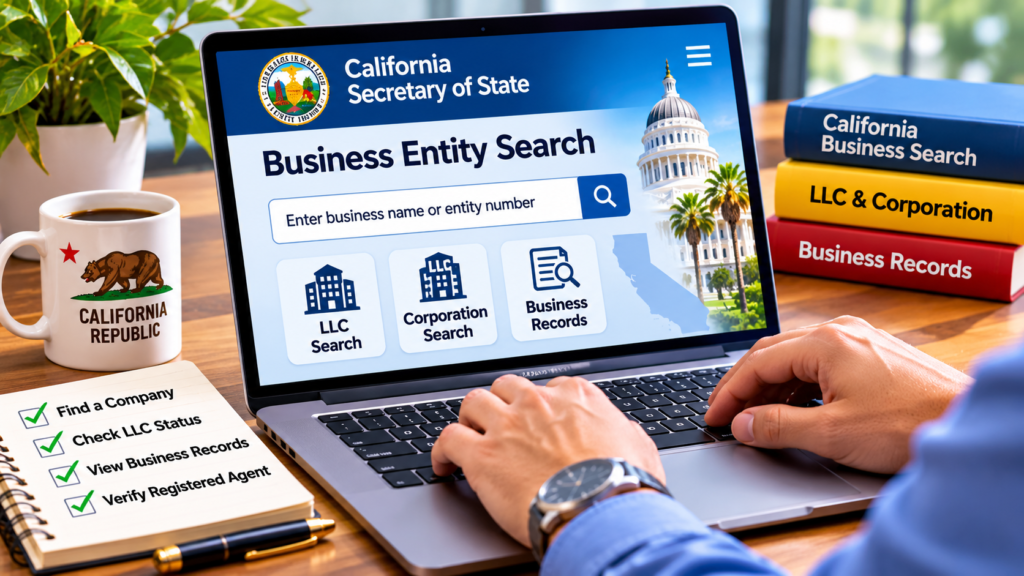
Searching for a California company is straightforward. Follow these steps to find the information you need.
Step 1: Visit the Official California Business Search Website
First, open the official California Secretary of State website.
Visit the official search portal:
https://bizfileonline.sos.ca.gov/search/business
This is the state’s online platform for searching business entity records.
Step 2: Enter the Business Name
Once the search page opens, look for the search box.
Enter the company name you want to find.
For example, you can search using:
- A complete company name.
- An LLC name.
- A corporation name.
- Part of a business name.
If you do not know the complete legal name, try entering a shorter version.
Step 3: Search Using an Entity Number
If you already have a company’s entity number, you can use it instead of the business name.
An entity number can help you locate the correct record, especially when several companies have similar names.
Make sure you enter the number in the correct format, including any required letters.
Step 4: Review the Search Results
After submitting your search, the portal will display matching business records.
Review the available results carefully.
Pay attention to:
- The complete legal business name.
- Entity type.
- Entity identification number.
- Registration details.
- Current status.
If multiple companies have similar names, compare their identification numbers and other details before selecting a record.
Step 5: Check the Business Status
One of the most important things to review is the company’s current status.
The record may indicate whether the business is active, suspended, dissolved, cancelled, or has another recorded status.
An active status is generally a positive sign, but it does not guarantee that a business has every required local license, permit, or regulatory approval.
If you are making an important business decision, verify the relevant information with the appropriate government agency.
Step 6: Review Registered Agent and Address Information
California business records may include the agent for service of process.
This is the person or entity designated to receive legal documents on behalf of the business.
You may also find:
- Principal business address.
- Mailing address.
- Agent’s name and address.
- Available officer or manager information.
Remember that public record addresses may not always represent the company’s current operating location.
Step 7: Download or Review Available Documents
After finding the correct business record, you can review available filing documents.
Depending on the entity and document, the portal may provide access to:
- Formation documents.
- Statements of Information.
- Amendments.
- Termination documents.
- Other filed records.
Plain copies of available documents can be accessed online for free. Certified copies and certain certificates may involve fees.
What Information Can You Find Through California Business Search?
The California Secretary of State provides access to a collection of business records.
Here is a simple overview of the information you may find.
| Business Information | What It Tells You |
|---|---|
| Entity name | Official registered company name |
| Entity number | Unique business identification |
| Formation date | When the entity was registered |
| Entity status | Recorded legal status |
| Jurisdiction | Where the entity was formed |
| Business address | Address available in public records |
| Registered agent | Contact designated for legal documents |
| Filing history | Available documents filed with the state |
The information available can vary depending on the type of business and its filing history.
How to Search for a California LLC
If you want to verify a Limited Liability Company, the official business search portal can help you locate its registration record.
Here is what to do:
- Open the California bizfile Online search portal.
- Enter the LLC’s business name.
- Review the matching results.
- Select the correct company.
- Check its entity number and status.
- Review available registration documents.
This is particularly useful when you are researching an LLC before entering into a business agreement or working with a new company.
However, remember that an LLC’s registration record does not provide a complete picture of its financial condition or ownership.
How to Check Whether a California Business Is Active
Checking business status is an important part of researching a company.
To do this, search for the business using its legal name or entity number.
Once you find the correct record, review its status and any additional standing information displayed.
Some records may also show standing with relevant state agencies, including the Franchise Tax Board.
Do not confuse an entity’s status with its overall business performance. An active registration does not automatically mean that a company is financially healthy or trustworthy.
Can You Search California Businesses for Free?
Yes. Basic public business searches are free through the California Secretary of State’s online portal.
You can search available records without paying a subscription or creating an account.
However, some additional services may require payment or a separate request.
These can include:
- Certified copies of business documents.
- Certificates of Status.
- Certain official records and services.
Always check the official portal for current fees before placing an order.
Important Things to Know Before Using California Business Search
Although the search system is helpful, there are a few important limitations.
1. Not every business appears in the database.
The Business Search primarily covers corporations, LLCs, and limited partnerships. Certain other business types may require separate records requests.
2. Business registration is not the same as a business license.
A company registered with the Secretary of State may still need local permits, professional licenses, or other approvals.
3. Public records may not show complete ownership details.
The available records can include officer, director, member, and manager information, but the Secretary of State does not collect ownership information for every business entity.
4. A business name search is not a final name reservation.
Finding no matching result does not guarantee that a name is available or approved for registration. Follow the state’s official name reservation and filing procedures.
5. Check the latest information.
If you are using the records for a legal, financial, or commercial decision, verify important details directly with the relevant government authority.
Why Is California Business Search Useful?
There are several reasons why people use this service.
- Entrepreneurs: Check existing business names before planning a new company.
- Business owners: Review their company’s public registration details.
- Consumers: Research a company’s official registration record.
- Freelancers: Verify basic information about a potential business client.
- Researchers: Find public company information for research and reporting.
- Business partners: Review registration details before entering an agreement.
It is a practical tool for finding official records without relying entirely on third-party websites.
Frequently Asked Questions (FAQs)
1. What is the official website for California Business Search?
The official website is the California Secretary of State’s bizfile Online portal:
2. Is California Business Search free?
Yes. Basic searches and access to available plain copies of business documents are free. Some certified documents and additional services may have fees.
3. Can I search for an LLC in California?
Yes. You can search for registered California LLCs by entering their business names or entity numbers.
4. How can I check whether a California company is active?
Search for the company through bizfile Online and review its entity status and any available standing information.
5. Can I find a company’s registered agent?
Yes. Available business records may include the name and address of the agent for service of process.
6. Can I search for a company using its entity number?
Yes. The official portal supports searches using business entity numbers.
7. Does California Business Search show business licenses?
No. The Secretary of State’s business entity search is primarily for registration and filing records. Business licenses and permits may need to be checked through other government agencies.
8. Can I download California business documents?
Yes. Available plain copies can be viewed and printed online. Certified copies may require an additional fee.
Final Thoughts
California Business Search is a valuable resource for anyone who wants to find official information about a registered company in California. From checking LLC records to reviewing corporation status and registered agent details, the state’s bizfile Online portal makes public business information easier to access.
Before making an important business decision, always review the original government records and confirm any additional licensing or regulatory requirements.
A few minutes of research can help you make more informed decisions and avoid relying on incomplete company information.
Useful Official Resources:
- California Business Search: https://bizfileonline.sos.ca.gov/search/business
- California Secretary of State: https://www.sos.ca.gov/business-programs/business-entities
- Business Records Information: https://www.sos.ca.gov/business-programs/business-entities/information-requests
- Official FAQs: https://www.sos.ca.gov/business-programs/business-entities/faqs
For more useful business guides and practical information, visit https://nuvwire.com/