If you are looking for official business information in North Carolina, the NC Secretary of State website is an important resource. It allows individuals, entrepreneurs, business owners, and researchers to access public business records, search registered companies, check business details, and complete certain online filing services.
Whether you want to verify an LLC, search for a corporation, register a new business, or file an annual report, understanding how the North Carolina Secretary of State works can make the process easier.
In this guide, we explain the main services, how to search business records, how to register a company, and where to find useful official resources online.
What Is the NC Secretary of State?
The NC Secretary of State is a government office responsible for several administrative and public-record services in North Carolina.
One of its important responsibilities is maintaining business registration records. Through its Business Registration Division, the office records information about different business entities and makes required public information available.
The office provides services related to:
- Business entity registration.
- LLC and corporation records.
- Business name searches.
- Annual report filing.
- Registered agent information.
- Certified business documents.
- Assumed business name information.
- Business record updates.
The official website is:
It is useful for people who want to start a business, maintain an existing company, or research an organization registered in North Carolina.
How to Use NC Secretary of State Business Search
One of the most useful features is the online business search service.
It helps users locate companies registered with the state and review available public information.
Follow these simple steps.
Step 1: Visit the Official Website
Open the North Carolina Secretary of State website:
Navigate to the Business Registration section or open the online services page.
Step 2: Open Business Search
Find the Business Search option under online services.
You can also visit the official Business Registration section:
https://www.sosnc.gov/divisions/business_registration
This section provides access to business search tools and other registration services.
Step 3: Enter the Business Name
Enter the company’s legal name in the search field.
You can try different search methods depending on the information you have.
For example:
- Complete business name.
- Beginning words of the company name.
- Words contained in the business name.
- Registered agent information, where supported.
If you do not know the exact legal name, trying a shorter search term may help.
Step 4: Review Matching Companies
After submitting your search, review the matching business records.
Check the company name carefully because different businesses may have similar names.
Look for identifying information such as the entity name, identification number, and business type.
Step 5: Open the Business Record
Select the correct company from the results.
Depending on the record, you may be able to review:
- Business entity name.
- Entity identification number.
- Registration date.
- Current recorded status.
- Registered agent information.
- Principal office information.
- Available filing history.
- Annual report information.
The details available can vary between business entities.
How to Search for an LLC in North Carolina
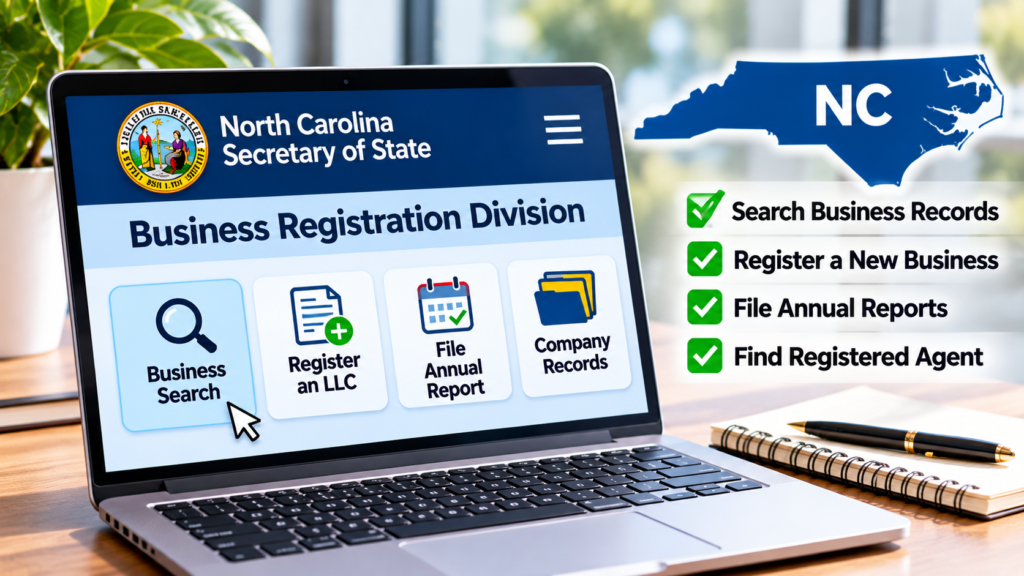
If you want to verify a Limited Liability Company, the NC Secretary of State business search system can help you find its registration information.
Here is how to do it:
- Open the official North Carolina Secretary of State website.
- Navigate to Business Registration.
- Select the business search service.
- Enter the LLC’s legal name.
- Review the matching search results.
- Select the correct company.
- Check its registration details and available documents.
This process can help entrepreneurs and business partners verify whether an LLC has a record with the state.
However, an LLC registration record does not provide a complete picture of a company’s finances, ownership, or business performance.
How to Register a New Business in North Carolina
Starting a business requires planning and choosing an appropriate legal structure.
North Carolina provides online business registration services through the Secretary of State’s website.
Here are some general steps to understand before registering.
1. Choose a Business Structure
First, decide which business structure fits your plans.
Common business structures include:
- Limited Liability Company (LLC).
- Business Corporation.
- Nonprofit Corporation.
- Limited Partnership.
- Limited Liability Partnership.
Each structure has different legal, tax, and reporting considerations.
Consider professional advice when deciding which structure is suitable for your business.
2. Check Your Business Name
Before submitting registration documents, search the business database to check whether your proposed name is distinguishable from existing registered names.
A name search is an important first step, but it does not guarantee approval.
The state reviews the name under its applicable requirements.
3. Prepare the Required Documents
The documents depend on the type of business you want to establish.
For example, an LLC generally requires Articles of Organization, while a corporation generally requires Articles of Incorporation.
Review the official forms and instructions before submitting anything.
4. Submit Your Registration
Use the official online business services to complete the relevant registration process.
Follow the instructions, provide the required information, and pay any applicable filing fees.
5. Review Your Business Record
After submitting your application, check the filing status through the official website.
The Secretary of State currently lists online entity creation processing estimates of approximately 5–10 business days. Processing times can change depending on workload and filing circumstances.
What Is a North Carolina Annual Report?
An annual report is an important filing requirement for many registered businesses in North Carolina.
It helps keep certain company information updated with the Secretary of State.
Depending on the entity type, the report may include information such as:
- Legal business name.
- Principal office address.
- Registered agent details.
- Company officials or management information.
- Other required business information.
The filing requirements and deadlines depend on the business structure.
When Is an LLC Annual Report Due?
For most North Carolina LLCs, the annual report is due by April 15 each year.
The first report is generally due by April 15 of the year following the calendar year in which the LLC was formed or registered.
Always check the applicable rules for your specific entity.
How to File an Annual Report Online
Follow these steps:
- Visit https://www.sosnc.gov/
- Open Business Registration.
- Select the Business Annual Report service.
- Search for your company.
- Review the available business information.
- Complete the required report.
- Pay the applicable filing fee.
- Save your filing confirmation.
The official website provides the current filing instructions and fee information.
How to Find a Registered Agent in North Carolina
A registered agent is an individual or business designated to receive official legal documents on behalf of a registered business entity.
North Carolina business records may include registered agent information.
To locate an agent:
- Open the official business search service.
- Choose the appropriate search option.
- Select the registered agent search method if available.
- Enter the agent’s name.
- Review the matching results.
Remember that similar names or different address entries may produce multiple results. Check the details before identifying the correct record.
What Other Services Does the NC Secretary of State Offer?
The website provides more than business registration and company searches.
Here are some additional services worth knowing about.
Business Document Requests
Users can access information about ordering certified business documents and other official records.
Some document services require payment.
Assumed Business Name Search
People using a business name that differs from their legal name may need to consider assumed business name requirements.
North Carolina provides information about searching assumed names and the relevant filing process.
Business Reinstatement
Businesses that have been administratively dissolved or revoked may have options to apply for reinstatement, depending on their circumstances.
Check the official instructions before submitting a request.
Charities and Nonprofit Information
The website also provides services and information related to charitable organizations and other public records.
Online Filing Services
The online services section brings several government filing and search options together in one place.
Is the NC Secretary of State Website Free to Use?
Basic public business searches are available through the official website without a subscription.
However, not every service is free.
Depending on what you need, charges may apply to:
- Business formation filings.
- Annual reports.
- Certified document orders.
- Certain official certificates.
- Other filing and document services.
Always confirm the latest fees through the official fee schedule before making a payment.
Be careful with unofficial websites that charge additional service fees for filing reminders or priority processing.
The Secretary of State has also warned businesses about misleading annual report mailings and vendors charging extra fees.
Important Tips Before Using North Carolina Business Records
Before relying on information from the online system, remember these points.
1. Check the exact company name.
Businesses may have similar names. Compare identification numbers and other available information.
2. Review the latest available records.
Older documents may contain information that has since changed.
3. Do not confuse registration with licensing.
Registering a business with the Secretary of State does not automatically provide every license or permit required to operate.
4. Confirm important filing deadlines.
Different business structures may have different annual reporting requirements.
5. Use official government websites.
For registration, payments, and important company information, use the official North Carolina government website.
Frequently Asked Questions (FAQs)
1. What is the official NC Secretary of State website?
The official website is https://www.sosnc.gov/. It provides business registration, company search, annual report filing, and other government services.
2. How can I search for a company in North Carolina?
Visit the Secretary of State website, open Business Registration, select Business Search, and enter the company’s name or other available search information.
3. Can I search for an LLC in North Carolina?
Yes. You can use the official business search service to locate LLC registration records and review available company information.
4. How do I check whether a North Carolina business is active?
Search for the company through the official business registration database and review its current recorded status.
5. When is the North Carolina LLC annual report due?
For most LLCs, the annual report is due by April 15 each year.
6. Can I register a business online in North Carolina?
Yes. The Secretary of State provides online business creation services for eligible business entities.
7. How can I find a company’s registered agent?
Search the business registration database and review the registered agent information available in the company’s public record.
8. Does the NC Secretary of State provide certified business documents?
Yes. The office provides services for ordering certified business documents. Applicable fees may apply.
9. Is a business search the same as checking a business license?
No. Business registration records and business licenses are different. You may need to contact the relevant licensing authority to verify permits or professional licenses.
Final Thoughts
The NC Secretary of State website is an important resource for entrepreneurs, business owners, researchers, and anyone who needs official information about North Carolina companies.
From searching LLC records and verifying registered agents to registering a new company and filing annual reports, its online services make many business-related tasks easier to manage.
Before making an important decision, review the latest official records and confirm any additional legal, tax, or licensing requirements that apply to your business.
Using reliable government resources can help you avoid unnecessary confusion and make better-informed business decisions.
Official Resources:
- North Carolina Secretary of State: https://www.sosnc.gov/
- Business Registration: https://www.sosnc.gov/divisions/business_registration/
- Online Services: https://www.sosnc.gov/home/Online_Services
- North Carolina Business Information: https://www.commerce.nc.gov/data-tools-reports/business-information-reports
- North Carolina Business Laws: https://www.ncleg.gov/
For more useful business guides and practical information, visit https://nuvwire.com/