
Starting an online store may sound complicated, especially if you have never worked with website development or e-commerce tools. Fortunately, WordPress offers a flexible way to build an online business without developing every feature from scratch. One popular solution is WooCommerce, which helps beginners and established businesses manage products, orders, payments, and deliveries from one website. Whether you want to sell clothing, kitchen accessories, or digital products, this guide explains how the platform works and what you should know before launching your store.
But what exactly is WooCommerce, how does it work, and is it the right choice for your business? This guide explains the platform in simple language, including its main features, setup process, costs, advantages, and limitations.
What Is WooCommerce?
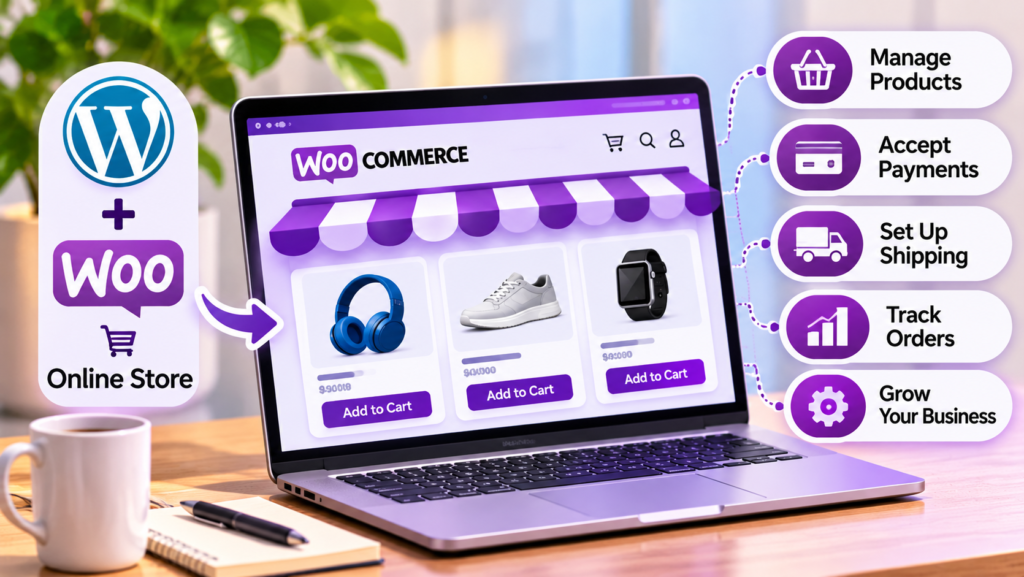
WooCommerce is a free, open-source e-commerce plugin designed for WordPress websites. It adds online shopping functionality to a WordPress site, allowing business owners to display products, accept orders, manage inventory, and configure checkout options.
In simple terms, WordPress helps you build and manage your website, while WooCommerce provides the tools needed to operate an online shop. You can learn more about its features and setup options through the official WooCommerce documentation.
One important advantage is flexibility. Store owners can begin with basic features and add more functionality as their business grows. WooCommerce supports physical products, digital downloads, and other selling models through suitable extensions.
How Does WooCommerce Work?
WooCommerce works inside your WordPress dashboard. After installing and activating the plugin, it adds store management options to your website.
You can use these options to add products, set prices, upload product photographs, manage orders, configure shipping, and select payment methods. Customers visit your website, browse available products, add items to their shopping carts, and complete the checkout process using the payment methods you have enabled.
An online shop also needs a reliable payment process and a safe customer experience. Modern digital shopping is evolving, with AI-assisted payment services attracting attention as well. NuvWire recently explored this development in its report on ChatGPT Wallet and the future of AI-powered payments. Although these technologies serve different purposes, both highlight how online businesses are changing the way customers discover products and complete purchases.
For example, imagine you own a small online kitchen accessories shop. You can create product pages for storage containers, cooking tools, and kitchen organisers. Each page can include product photographs, descriptions, prices, stock information, and purchasing options.
When a customer places an order, you can view the order details from your WordPress dashboard and manage the next steps. The official WooCommerce getting-started guide explains the main stages of preparing a store.

Main Features of WooCommerce
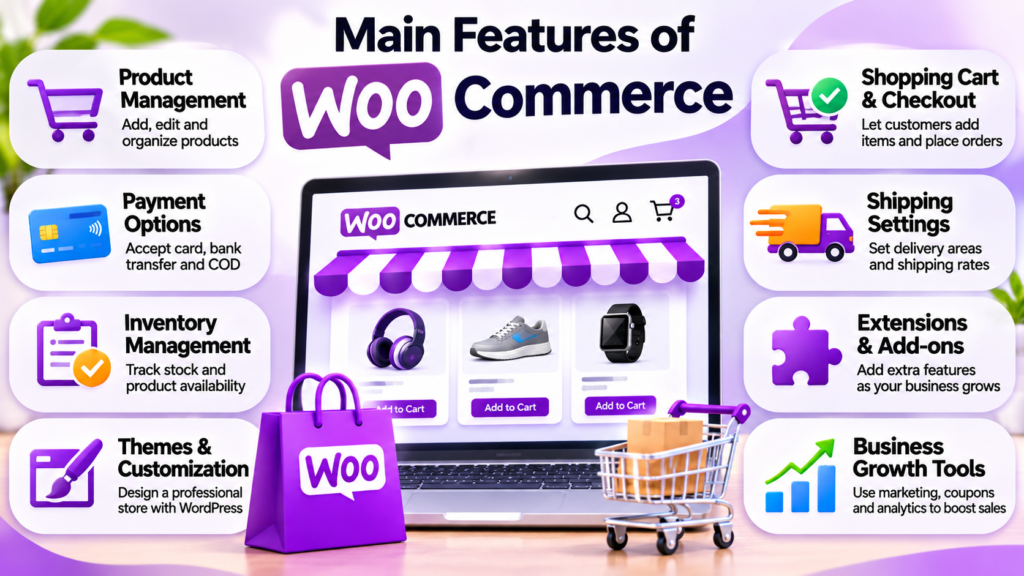
WooCommerce offers several useful features for people who want to manage an online business. Some features are included in the core plugin, while others may require additional extensions.
1. Product Management
Product management is one of the most important parts of an online store. WooCommerce allows you to add product names, descriptions, photographs, prices, categories, and stock information.
You can create simple products with one price or variable products with different options, such as sizes and colours. For example, a clothing store can list one shirt with several size options instead of creating a separate product page for every size.
You can also organise products into categories to help customers find what they need more easily.
2. Shopping Cart and Checkout
A shopping cart allows customers to collect products before placing an order. They can review selected items, change quantities, remove products, and check the estimated total before proceeding to checkout.
The checkout page collects the information needed to process an order, such as the customer’s contact details, delivery address, and selected payment method.
A simple and easy-to-use checkout experience can make shopping more convenient and reduce unnecessary steps for customers.
3. Payment Options
WooCommerce supports different payment methods through built-in options and payment gateway extensions. Depending on your location and business requirements, you may be able to offer card payments, bank transfers, cash on delivery, or other supported methods.
For example, cash on delivery may be useful for some businesses selling within Pakistan, while international stores may need suitable online payment gateways.
However, not every payment service is available in every country. Before selecting a gateway, check its supported countries, transaction fees, verification requirements, and settlement process. WooCommerce explains payment gateway choices in its official payment documentation.
4. Inventory and Stock Management
Keeping track of product availability is essential for an online business. WooCommerce includes stock management options that help store owners monitor inventory.
You can enter available quantities, manage stock status, and configure notifications for low-stock products. When inventory management is enabled and configured correctly, the system can update stock levels as orders are processed.
This is particularly helpful for businesses selling products with limited quantities.
5. Shipping and Delivery Settings
Shipping is another important part of running an online store. WooCommerce allows store owners to configure shipping zones and methods based on the locations they serve.
For example, a business in Pakistan may offer different delivery charges for local cities, other regions, or selected delivery areas. Available options can include flat-rate shipping, free shipping, and local pickup.
Before accepting orders, it is important to check your delivery areas, courier arrangements, shipping charges, and estimated delivery times. The WooCommerce shipping documentation provides guidance on configuring shipping zones and related settings.
6. Themes and Store Customisation
The appearance of an online shop can influence how customers interact with it. WooCommerce works with WordPress themes, allowing store owners to customise layouts, colours, fonts, product displays, and other design elements.
You can use a suitable theme to create a professional store without building every page from scratch. Page builders such as Elementor can also help users design different website sections through a visual editing interface.
However, it is important to choose compatible themes and plugins. Too many unnecessary design elements or poorly configured extensions can affect website performance and the shopping experience.
7. Extensions and Additional Features
One of WooCommerce’s biggest strengths is its extension ecosystem. Store owners can add functionality when their business needs change.
Depending on the available extension and its compatibility, additional features may include subscriptions, bookings, advanced product filters, marketing integrations, shipping services, and payment gateways.
You can explore available tools through the official WooCommerce Marketplace. Before installing an extension, check its price, reviews, update history, support information, and compatibility with your WordPress setup.
How to Create an Online Store With WooCommerce
Creating a WooCommerce store does not require advanced programming knowledge for a basic setup. However, you should prepare your website carefully before accepting real customer orders.
Before configuring your shop, it is helpful to understand the official tools available. The WooCommerce documentation provides instructions for installation, product management, payments, shipping, and store settings. Beginners can also explore the WordPress official website to learn about the content management system that powers their store.

Step 1: Choose a Domain and Hosting
First, choose a domain name that represents your business. You will also need web hosting to store your website files and make your online shop accessible to visitors.
Look for hosting that supports WordPress and provides suitable performance, security, backups, and customer support. Your hosting requirements may increase as your product catalogue and visitor numbers grow.
Step 2: Install WordPress
After purchasing hosting, install WordPress through your hosting control panel or the installation method provided by your hosting company.
Once WordPress is installed, log in to your website dashboard. From there, you can manage pages, themes, plugins, and other website settings.
If you are new to WordPress, the official WordPress website provides information about the platform and its features.
Step 3: Install and Activate WooCommerce
Open your WordPress dashboard and follow these steps:
- Go to Plugins.
- Select Add New Plugin.
- Search for WooCommerce.
- Find the official WooCommerce plugin.
- Click Install Now.
- Select Activate after installation.
WooCommerce will guide you through an initial setup process. You can follow the setup instructions to configure the basic details of your store. For a step-by-step overview, visit the official WooCommerce installation guide.
Step 4: Choose a Suitable Theme
Select a WordPress theme that works well with WooCommerce. Your theme controls important parts of the store’s appearance, including product layouts, navigation, and page design.
Choose a design that is easy to use on mobile phones and desktop computers. Customers should be able to find products, understand prices, and reach the checkout page without confusion.
Step 5: Add Your Products
After completing the basic setup, start adding products.
For each product, prepare:
- A clear product name
- A detailed and useful description
- High-quality product photographs
- A regular selling price
- A sale price, if applicable
- Product categories
- Stock information
- Product variations, if needed
Accurate product information helps customers understand what they are buying and reduces the chances of confusion after an order is placed.
Step 6: Configure Payments and Shipping
Open the WooCommerce settings and review the available payment and shipping options.
Choose payment methods that are supported in your business location. Set up shipping zones according to the areas where you plan to deliver orders.
For a Pakistan-based store, check whether your chosen payment provider supports local businesses and whether your courier service can handle your delivery requirements. Do not assume that every international payment gateway or shipping integration will work in Pakistan.
Step 7: Test Your Store Before Launch
Before making your store public, test the complete shopping process.
Visit product pages, add items to the cart, check the checkout form, review shipping charges, and test the available payment process using the appropriate test mode where supported.
Also check your website on a mobile phone. Make sure product images load correctly, buttons are easy to use, and important information is visible.
A few careful tests can help you identify problems before real customers start placing orders.
WooCommerce vs Shopify: Which One Should You Choose?
WooCommerce and Shopify are two popular options for building an online store, but they work differently.
WooCommerce is a WordPress plugin that gives users flexibility over their website and hosting arrangements. Shopify is a hosted e-commerce platform that provides a more managed store-building environment.

Here are some general differences:
| Feature | WooCommerce | Shopify |
|---|---|---|
| Platform | WordPress plugin | Hosted e-commerce platform |
| Setup | Requires a WordPress website | Store setup through Shopify |
| Hosting | Arranged separately for self-hosted WordPress | Included in the platform subscription |
| Customisation | Themes, plugins, and development | Themes and Shopify apps |
| Costs | Hosting, domain, extensions, and other services | Subscription and possible additional costs |
| Technical control | Greater control over the WordPress environment | More managed environment |
Neither platform is automatically the best choice for every business.
WooCommerce may suit people who already use WordPress, want greater control over their website, or prefer choosing their own hosting and extensions. Shopify may appeal to people who want a more managed e-commerce platform and prefer not to manage WordPress hosting themselves.
Your decision should depend on your budget, technical comfort, business model, and long-term plans.
Is WooCommerce Free to Use?
The core WooCommerce plugin is free to download and use. However, running a complete online store may involve other expenses.
For example, you may need to pay for:
- A domain name
- Web hosting
- A premium WordPress theme
- Paid WooCommerce extensions
- Payment processing fees
- Website maintenance and security services
- Professional design or development support
You do not necessarily need to purchase every premium tool when starting. A small business can begin with the essential features and add paid services when there is a genuine need.
It is also important to understand that payment processing charges and hosting fees are separate from the cost of the core WooCommerce plugin.
Advantages of WooCommerce
WooCommerce offers several benefits for businesses that want to build an online store using WordPress.
Flexible customisation: You can customise your website with compatible themes, plugins, and development tools.
Control over your website: With a self-hosted WordPress setup, you have considerable control over your website files, hosting environment, and store configuration.
Product variety: You can sell physical products, digital downloads, and other offerings supported by suitable extensions.
Expandable functionality: You can add new features as your business grows instead of starting with every advanced tool.
WordPress integration: If you already understand WordPress, learning the basic WooCommerce features may feel more familiar.
Website security should also be part of every store owner’s plan. Keeping the website software updated, choosing reliable extensions, and maintaining backups can help reduce technical risks. NuvWire’s guide to important PHP security vulnerabilities explains why website owners should pay attention to their server environment and software updates. These precautions are useful for any business operating an online store.
Disadvantages of WooCommerce
Although WooCommerce is flexible, it also comes with responsibilities that beginners should understand.
Hosting management: With a self-hosted store, you are responsible for choosing and maintaining suitable hosting.
Plugin compatibility: Some themes and plugins may not work well together, so updates and compatibility checks are important.
Maintenance requirements: You need to manage WordPress, themes, plugins, backups, and security.
Additional expenses: Although the core plugin is free, hosting, premium extensions, development, and payment processing can increase the overall cost.
Learning curve: Beginners may need time to understand product settings, shipping, payments, website design, and order management.
Understanding these limitations before starting can help you make a more realistic business plan.
Is WooCommerce Good for Beginners?
Yes, WooCommerce can be a suitable option for beginners who want to build an online store with WordPress. Its basic features can be managed through the WordPress dashboard, and the official documentation provides guidance for common setup tasks.
However, beginners should avoid installing too many plugins or changing important settings without understanding their purpose. Start with a simple store, add a few products, test the checkout process, and learn how orders are managed.
You do not need to build a complicated store on the first day. A clean design, accurate product details, reliable delivery arrangements, and a working checkout process are more important than adding unnecessary features.
Final Thoughts
WooCommerce provides a flexible way to turn a WordPress website into an online store. It gives business owners tools to manage products, orders, inventory, shipping, and payment options while allowing them to customise the website according to their requirements.
It is not a completely hands-off solution, and store owners still need to manage hosting, updates, security, and customer service. However, people who are willing to learn these areas can use WooCommerce to build and expand an online business over time.
Before launching, take time to understand your customers, calculate your costs, select suitable payment and delivery methods, and test the complete shopping experience. A well-prepared store has a stronger foundation than one built only around appearance.
Frequently Asked Questions (FAQs)
1. What is WooCommerce used for?
WooCommerce is used to turn a WordPress website into an online store. It allows businesses to display products, accept orders, manage inventory, and configure checkout, payment, and shipping options.
2. Is WooCommerce free?
The core WooCommerce plugin is free and open-source. However, you may need to pay for hosting, a domain, premium themes, extensions, payment processing, or other services.
3. Do I need WordPress to use WooCommerce?
Yes. WooCommerce is designed to work with WordPress, so you need a WordPress website to install and use the plugin.
4. Can I sell physical products with WooCommerce?
Yes. You can sell physical products such as clothes, electronics, kitchen accessories, cosmetics, and other goods. You can also configure inventory and shipping options.
5. Can I sell digital products with WooCommerce?
Yes. WooCommerce supports downloadable products, allowing you to sell items such as e-books, templates, digital files, and other downloadable content.
6. Is WooCommerce better than Shopify?
It depends on your needs. WooCommerce offers flexibility through WordPress, while Shopify provides a more managed e-commerce environment. Compare their features, costs, and management requirements before choosing.
7. Can I use WooCommerce in Pakistan?
Yes. A WordPress website hosted in Pakistan or elsewhere can use WooCommerce. However, you should select payment gateways and delivery services that support your business location and requirements.
8. Can I customise a WooCommerce store with Elementor?
Yes. Elementor can be used to design many parts of a WordPress website, including compatible WooCommerce product and shop layouts. Some advanced WooCommerce design features may require Elementor Pro or additional compatible tools.
9. Do I need coding skills to build a WooCommerce store?
You do not need coding skills for a basic store. WordPress themes, WooCommerce settings, and compatible page builders can help you create and manage many store features. Advanced customisation may require development knowledge.
10. Can WooCommerce handle a large online store?
WooCommerce can support stores with large product catalogues and growing order volumes when the website is properly configured. Hosting quality, database performance, caching, image optimisation, and plugin choices all affect how well a store performs.